Tastenexa
How to use a weekly meal planner you’ll actually open
A weekly meal planner fails when it asks for a new personality every Sunday. It works when it remembers last week and lets you change your mind.
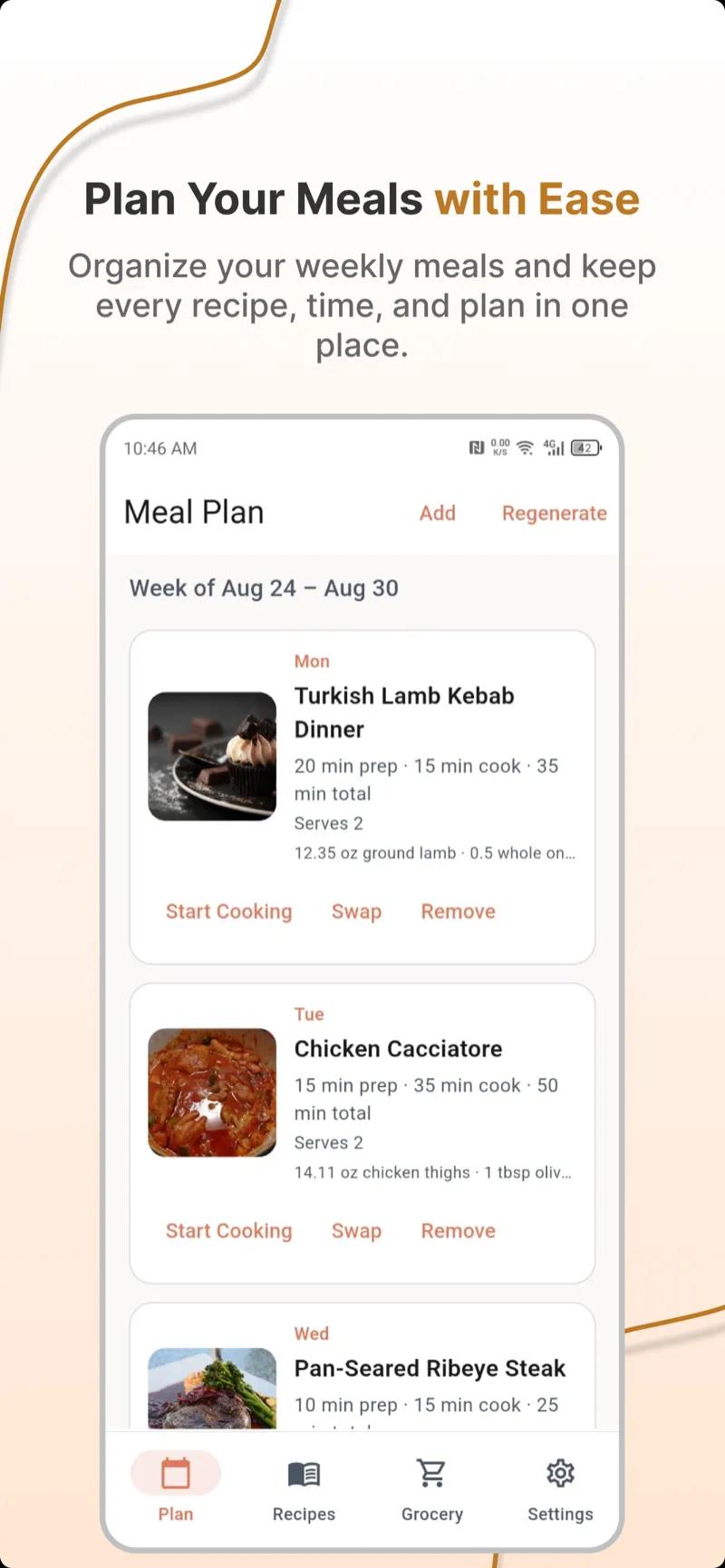
A weekly meal planner is a place where dinners get decided before you are hungry. Paper, a notes app, or a dedicated planner all work. The format is not the hard part. The hard part is still opening it on the week you are busy, traveling, or bored of your own cooking. Stickiness is a design problem. You can design for it.
If you have never planned a week before, start with the beginner sequence in how to meal plan for the week. This guide assumes you own some version of a planner already and want it to become a habit instead of a one-time burst of optimism.
Give the planner a job and a time
A planner with no appointment becomes a document you rediscover on Thursday, already useless. Put a recurring slot on the calendar. Twenty minutes is enough. Sunday afternoon works for a lot of people. Friday after work works if your weekend is the chaotic part. The slot matters more than the day.
In that slot the planner has four jobs, in order. Skip one and the week leaks.
- Look at last week. What did you cook, skip, and throw away?
- Look at this week’s calendar. Which nights are real cooking nights?
- Fill only those nights from a short rotation, not from the entire internet.
- Write the grocery list before you close the planner. A plan without a list is a wish.
Open the planner, then the calendar, then the recipes, then the list. When the order is stable, you stop spending the twenty minutes deciding how to decide.
Keep a rotation so you are not inventing a diet every Sunday
The planners people abandon are blank every week. The planners people keep already contain ten to fourteen meals they know how to cook. Each Sunday you pick from that rotation, then allow one new recipe if you feel like it. New is optional. Familiar is the product.
Build the rotation from meals that fit a real weeknight. If you want a hard filter, use the 30-minute dinner rule. A meal that takes an hour can live in the rotation as a weekend card, clearly labeled, so it does not ambush a Wednesday.
- Staples: the five meals you could cook from memory.
- Easy nights: breakfast-for-dinner, leftovers, takeout. Written down, they are part of the plan.
- Weekend slots: the longer recipe, the social meal, the batch cook.
- Seasonal swaps: soup weather versus salad weather. You are editing a list, not starting over.
What to write in each cell
A useful cell is not a paragraph. It is a meal name plus one note that future-you needs. “Thu — black bean tacos (use the cilantro before it dies).” “Sat — dinner out.” “Wed — leftover rice bowl, thaw shrimp if using.” If a cell needs a novel, the meal is too complicated for the system.
Add a tiny prep mark when something has to happen earlier: thaw, soak beans, start a marinade in the morning. The planner’s second life is a checklist, not a food diary. You should be able to glance at tonight’s cell while your hands are wet and know the move.
Use constraints so choosing is fast
Constraints feel like admin until you notice they cut browsing in half. Before you pick, the planner should already know:
- How you eat: classic, vegetarian, low-carb, or whatever you decided in choosing a diet style. Switching styles inside the planner every week is how the planner becomes a second job.
- What is out: allergies and true dislikes. Filter first. Hoping you will “just avoid the nuts” is how nuts end up in the cart.
- How long dinner can take on each night. A late meeting is not a risotto night.
- Who is eating. Servings and a family constraint belong in the cell. See family meal planning if the table does not share one appetite.
An app earns its keep here. Paper will not remember that you hate olives. A good weekly meal planner will refuse recipes that contain them, every week, without a speech. That is the feature to test, not the illustration on the empty state.
The swap valve is why you keep using it
Life will edit your week. If changing Thursday requires you to replanning Friday’s groceries by hand, you will stop updating the planner and then stop trusting it. Decide now that any meal can be swapped for another meal inside the same constraints, and that the list can update. The plan bends. You do not have to perform consistency for an audience.
When you swap, swap like with like. A 30-minute pantry meal replaces a 30-minute pantry meal. A night out replaces a night you no longer need to shop for. Delete the ingredients that were only there for the old recipe. Otherwise the planner is tidy and the fridge is not.
At the end of the week, write three notes: cooked, skipped, wasted. Next Sunday, read them before you add anything new. The planner gets better only if last week is allowed to talk.
Paper, notes app, or a real planner
Paper is excellent if you enjoy it and you shop with the page in your hand. It is bad at merging three recipes that all need lemons, and it will not filter allergens. A notes app is fine until the list becomes a scroll you do not check in the store.
Use a dedicated planner when you want the list to come from the meals automatically, duplicates merged, aisles grouped. That is the job described in grocery list tips. The planner and the list should be the same system. Two documents drift apart by Wednesday.
Whatever you pick, the weekly meal planner should be faster than deciding at 6 p.m. If using it takes longer than cooking without it, the tool is too complicated. Remove fields. You do not need nutrition dashboards to know what dinner is.
A first month that builds the habit
- Week 1: Plan only four dinners. Shop once. Write down what you skipped.
- Week 2: Repeat three of those dinners. Add one new recipe. Same time slot.
- Week 3: Add a leftover night and a prep note. Still no seven-night heroics.
- Week 4: You now have a rotation. The planner opens to a draft, not a blank page.
That is the stickiness. Not a new template. A week that looks enough like last week to be easy, and different enough that you do not feel trapped. If you want the draft generated, set your constraints once and let the planner fill the cells. Then spend the twenty minutes editing, which is the part humans are good at.
Ways people quietly quit
- Planning every bite, including lunches, snacks, and a new breakfast. Start with dinners. Add lunch only when dinners are boringly reliable.
- No easy night. The first skipped meal becomes “the system failed.”
- Never repeating a meal because repetition feels lazy. Repetition is the feature.
- A planner you cannot change without guilt. Guilt is not a scheduling tool.
- Shopping from memory after all that planning. Take the list. The list is the planner leaving the house.
Open the same slot this week. Fill fewer cells than you think you should. Attach the list. That is using a weekly meal planner. The rest is decoration.